Best Premium Laptop Stands for Students and Small Desks in 2026
Five options for students who want more choice in positioning, portability, and desk fit.
Research checked

Choose an upgrade that earns its desk space
A more elaborate laptop stand is only useful if it solves a problem in your study routine. You might want easier screen adjustment, a stand that packs beside your laptop, or a permanent setup that leaves room for a keyboard and handwritten notes. Those are different priorities, even when the products appear in the same buying guide.
Here, “premium” describes a shortlist focused on adjustment, portability, and design choices. It is not a fixed price bracket, a claim of superior build quality, or a promise that spending more improves your results. We have not personally tested these products, and we do not rank them by current prices or customer ratings.
Start with the way you study: Nulaxy C5 for positioning flexibility, Lamicall LN09 for a conventional adjustable desk setup, Roost V3 Plus for carrying convenience, Rain Design iLevel2 for a dedicated desk, and Twelve South Curve Flex for moving between regular workspaces. Check the exact model and your laptop's fit before buying.
Quick Picks
Choose your use case · Jump to the details
How We Selected These Laptop Stands
We reviewed manufacturer product pages on September 21, 2026. We compared adjustment mechanisms, portability, stated compatibility, and available measurements, then considered the trade-offs for students using small desks. These are editorial use-case recommendations within the five-product shortlist, not the result of a hands-on competition.
We did not measure stability, hinge durability, cooling, or comfort. Manufacturer performance claims are not treated as test results. Missing fields remain empty in our research records, and unavailable specifications are omitted from the cards. Sources and research dates are included with each product.
Model names matter. Nulaxy C5 is different from C1 and LS18; Roost V3 Plus is different from V3; Curve Flex is different from the fixed Curve. Rain Design's current product page uses “iLevel,” while its FAQ identifies the model as second-generation iLevel2. The purchase links in this guide were supplied for these named products; exact retailer variants were not independently verified during this research.
Quick Comparison
The illustration below is an editorial overview, not a set of verified product photographs or a scale drawing. Use the sourced descriptions and specifications for purchasing decisions; the artwork does not establish stability or performance.
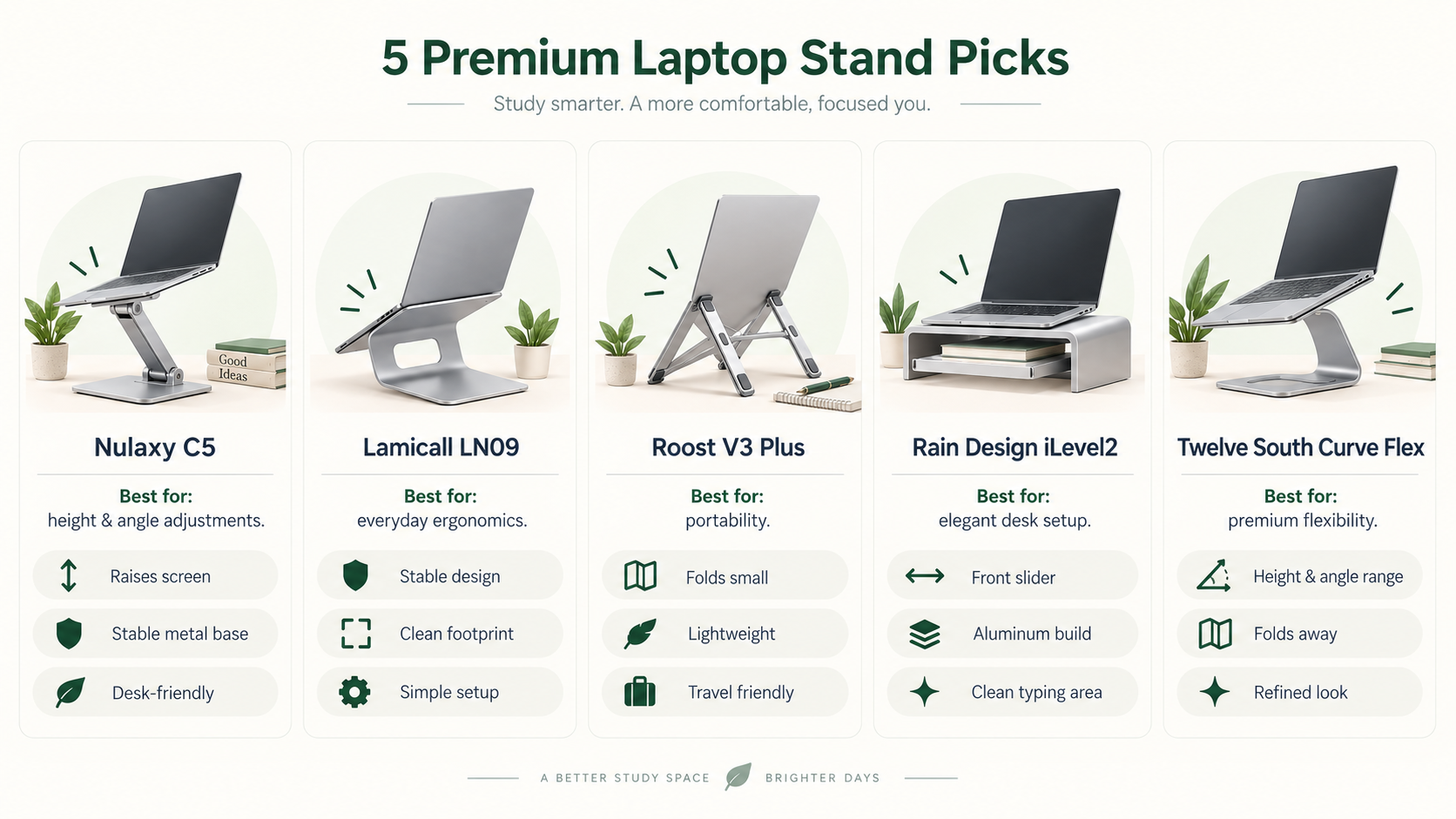
Swipe across the table to compare all five columns.
| Product | Best for | Adjustable | Portable | Space-saving approach |
|---|---|---|---|---|
| Nulaxy C5 | Height and tilt flexibility | Height and tilt | Folds for storage | Raise an open laptop |
| Lamicall LN09 | Everyday study desks | Height and angle | Foldable | Keep the laptop open and elevated |
| Roost V3 Plus | Campus travel | 11 height settings | Collapsible | Pack away between study sessions |
| Rain Design iLevel2 | A dedicated desk | Front slider changes tilt/height | Desk-based design | Space beneath for a keyboard |
| Twelve South Curve Flex | Desk-to-home flexibility | Height and angle | Folds flat; sleeve included | Fold away when the desk is shared |
Five picks for student desks
What matters on a small student desk?
Start with the complete setup
An elevated laptop still needs a base, cable clearance, and enough room around it to work. Adding an external keyboard and mouse can improve placement flexibility, but they also need space. Measure the usable desk area before comparing advertised screen heights.
Keep a place for handwritten work if that is part of your routine. A stand that lets you store a keyboard underneath can help when the keyboard is put away; it does not remove the space needed while you are typing.
Pay for an adjustment you will use
If your screen stays in one position, additional joints or height settings may add little value. If you frequently change rooms, chairs, or the screen's role, a more adjustable design may be relevant. Choose a mechanism for the way you work rather than treating more adjustment as automatically better.
Separate travel size from desk size
A folding stand can have a small packed form and still require a substantial area in use. Compare both measurements where available. A dedicated desk stand may be easier to leave in place, while a campus setup needs to fit alongside books, a charger, and any input devices.
Check the exact laptop and model
Screen diagonal alone does not establish compatibility. Look at body width, weight, contact points, and any case. Follow the stand's instructions for adjustment and the laptop manufacturer's guidance on ventilation. If a required specification is missing, ask the seller or manufacturer rather than assuming a similar model's limits apply.
Frequently asked questions
Is a premium stand worth it for a student?
Only when its features solve a need you have. A packable design may be useful for a commuter; a front adjustment control may matter at a permanent desk. If your present setup already fits your routine, an upgrade is optional. Compare the total cost of any additional accessories, not just the stand.
Do I need an external keyboard and mouse?
A raised laptop also raises its keyboard. Separate input devices let you position the screen and your hands independently. Nulaxy specifically recommends them for C5 because some settings can wobble during direct typing. We have not tested the typing experience on any of these stands.
Which option should I look at for campus travel?
Start by comparing Roost V3 Plus's folded dimensions with the space in your bag. Curve Flex also folds and includes a sleeve, but check its weight against everything else you carry. Portability is a practical fit decision, not just a product label.
Is iLevel the same model as iLevel2?
Rain Design's current manufacturer FAQ says the model is second-generation iLevel2, also named iLevel. Confirm that identity on the exact retailer listing rather than relying on the name alone.
Can these stands improve cooling or prevent discomfort?
We have not tested those outcomes and do not promise them. Keep vents unobstructed and follow the laptop manufacturer's placement instructions. Choose based on fit, usable positioning, and your workflow rather than assuming a stand guarantees a health or temperature benefit.
What if I use an external monitor and keep the laptop closed?
An upright holder may be more relevant than these open-laptop supports. See our vertical laptop stands guide for storage-focused options and the limitations of closed-lid setups.
Choose the design before the upgrade
Use C5 as a positioning-focused starting point, LN09 for a conventional adjustable arrangement, V3 Plus for packing convenience, iLevel2 for a dedicated workstation, and Curve Flex for adjustment between regular study locations. Then check compatibility, available desk area, and your total setup cost.
For a broader starting point, read our laptop stands for students guide. For other ways to make room for study materials, explore our small-desk stands and risers comparison.